Revenue analytics
Revenue analytics for founders: see which channel pays
Revenue analytics ties each payment to the visit that started it. Lantern shows revenue by channel, referrer, campaign, country and landing page, AI assistants included, from Stripe, Razorpay, Cashfree and four more providers.


What is revenue analytics?
Revenue analytics connects the money you earn to what produced it. Traffic analytics tells you how many people visited and where they came from. Your payment provider tells you who paid. Revenue analytics joins the two, so you can see that the Reddit thread sent 300 visitors and four of them paid $196.
For a founder, it answers the questions that decide where next week goes:
- Which channel brings paying customers, not just traffic?
- Is ChatGPT sending people who buy, or people who browse?
- Which landing page turns visitors into customers best?
- Which countries pay, and which only visit?
- Did last month's launch campaign pay for itself?
The term also means something else in hotels, airlines and retail, where "revenue analytics" is about pricing and demand forecasting. This page is about the web and SaaS kind: tying revenue to marketing.
Why your current tools can't do it
| Tool | Knows the visit | Knows the payment | Joins them |
|---|---|---|---|
| Google Analytics 4 | Yes | Only if you send purchase events from your code | Only if you build it |
| Stripe, Razorpay, Paddle… | No | Yes | No |
| MRR dashboards | No | Yes | No |
| Lantern | Yes | Yes, from the provider | Yes, automatically |
The hard part is that people rarely pay on their first visit. Unless the tool recognises the same visitor days later, the payment gets credited to "Direct" and the channel that actually found them gets nothing.
How Lantern does revenue analytics
- It follows each visitor. One visitor id in a first-party cookie on your own domain, across days and subdomains, from the first visit to the checkout.
- It reads your payments. From your payment provider, through a webhook or a read-only key: payments, renewals and refunds.
- It joins them. Through the visitor id in your checkout metadata, the customer or subscription, or the user you identify. Each payment is credited to the channel and page that first brought that customer.
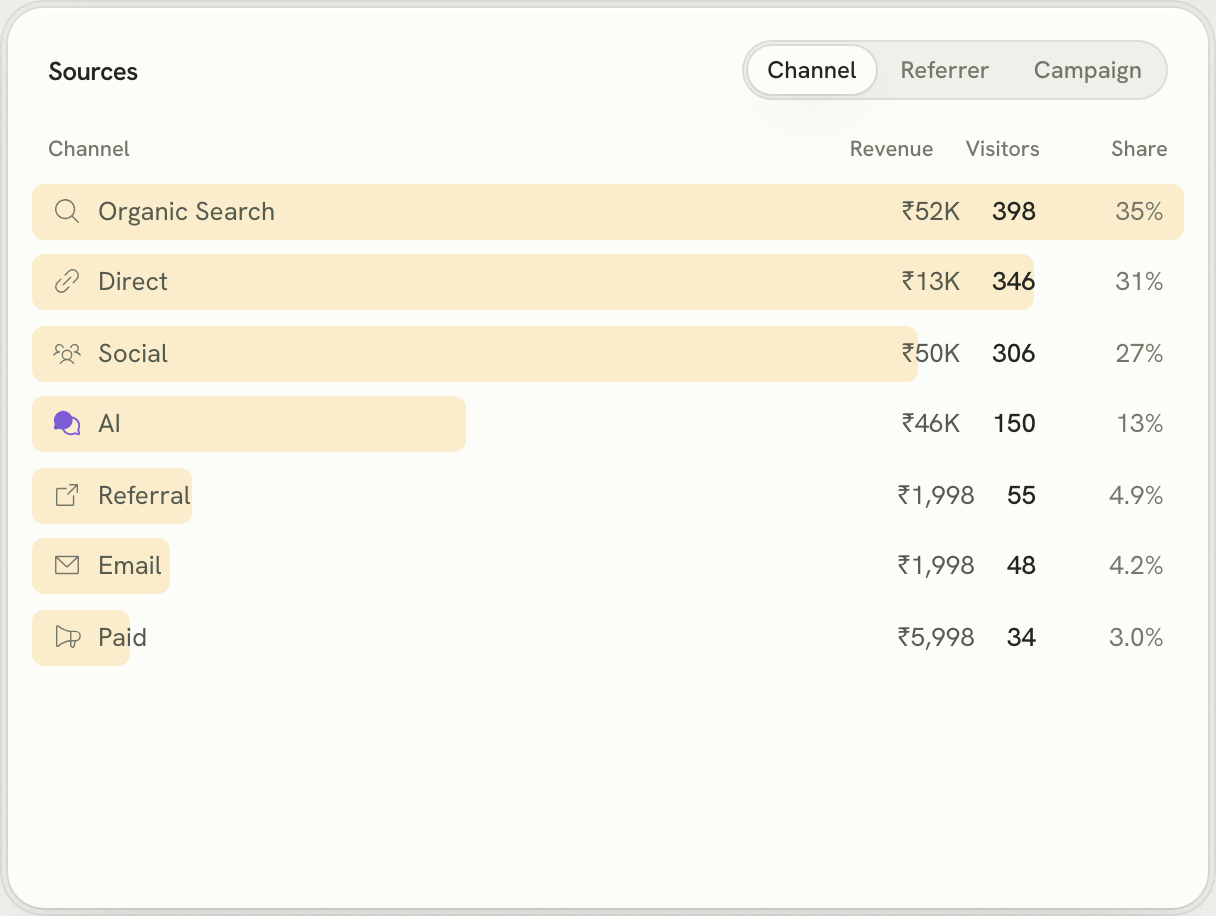
Revenue by channel and referrer
Every source gets a revenue column: Organic Search, Social, AI, Direct, Referral, Email and Paid, or the exact referrer and UTM campaign.
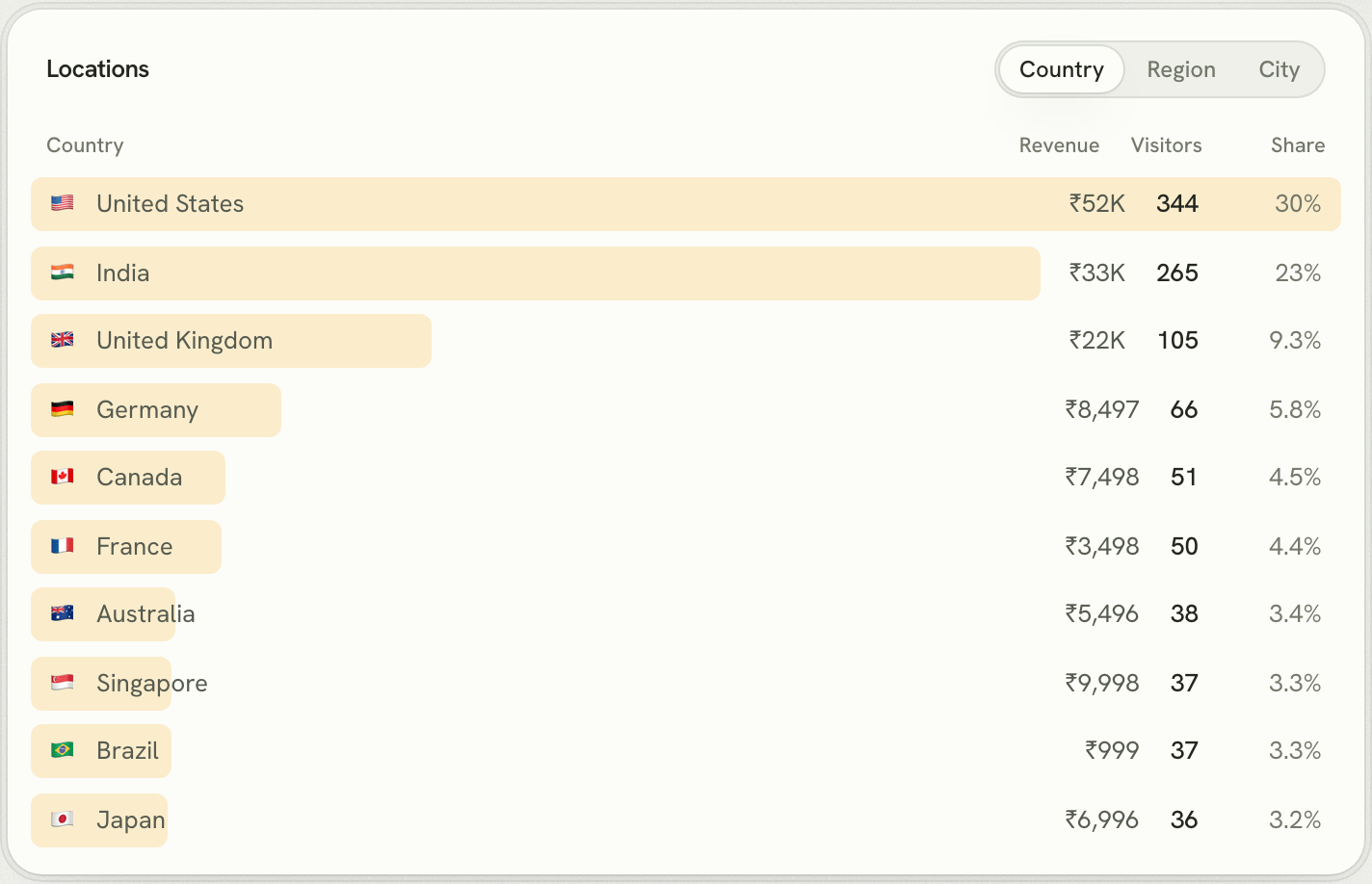
Revenue by country and landing page
Locations, devices and entry pages get the same column, so you can see where buyers are and which page they first read.
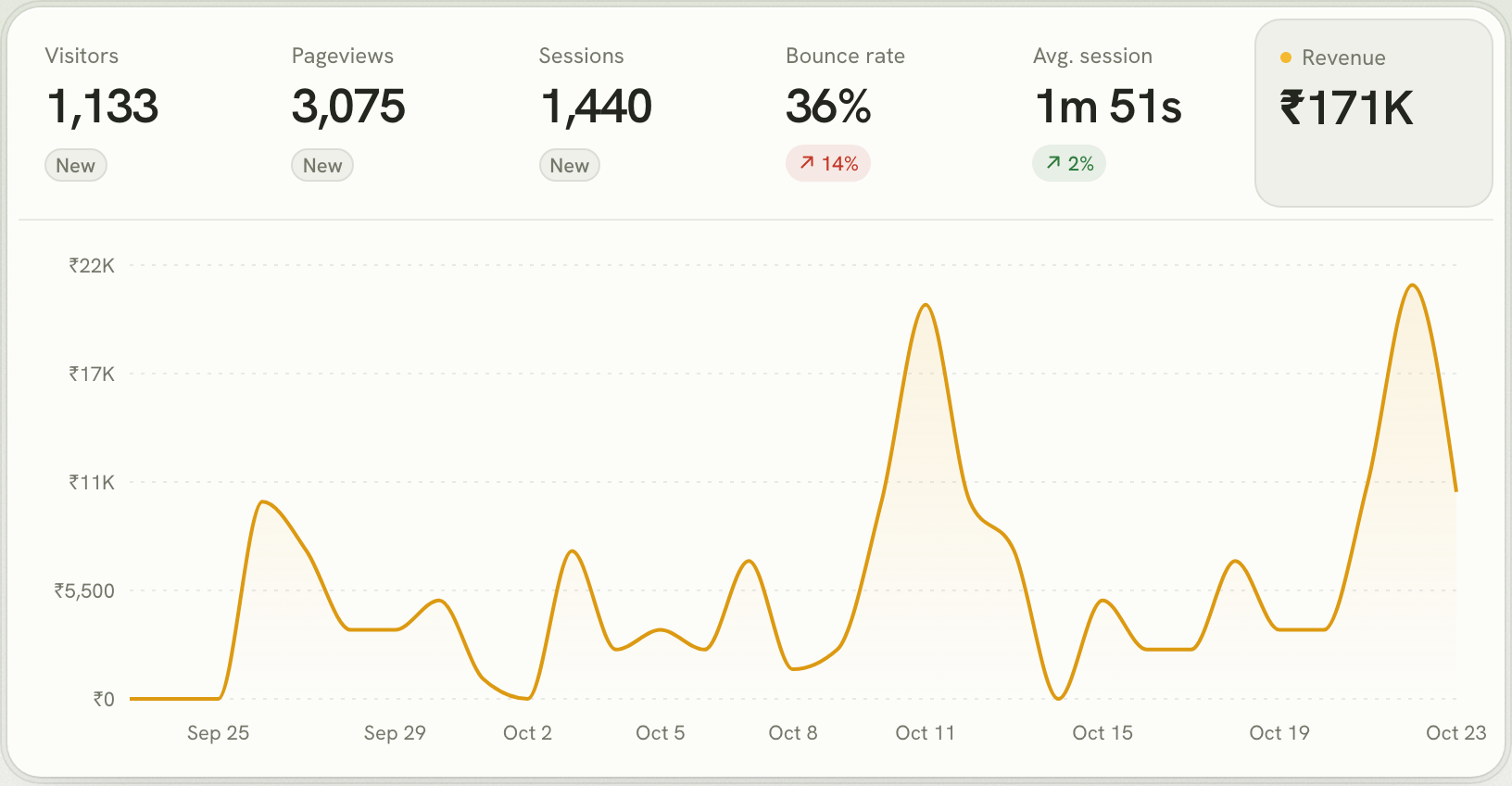
First touch, renewals and refunds
Lantern credits revenue to the customer's first visit, because that's the channel that found them. Renewals keep that channel, so a channel is credited with the whole lifetime of the customers it brings, and refunds are subtracted from the payment they reverse. For the trade-offs between models, read first-touch vs last-touch attribution.
Works with your payment provider
- Razorpay analytics
- Cashfree analytics
- Stripe analytics
- Dodo Payments analytics
- Paddle analytics
- Polar analytics
- Lemon Squeezy analytics
Questions
What is revenue analytics?
Revenue analytics connects the money a business earns to what produced it. For a website or SaaS, that means knowing which channels, campaigns, pages and countries bring the customers who pay, not just the visitors who browse.
How is revenue analytics different from MRR dashboards?
MRR tools like Baremetrics or ChartMogul track subscription metrics: MRR, churn, LTV. Revenue analytics in Lantern answers where that revenue came from, by marketing channel and source.
What is revenue attribution?
Revenue attribution decides which touchpoint gets credit for a payment. Lantern credits each customer's payments to the channel and page that first brought them, so a customer who found you on Reddit and paid two weeks later counts for Reddit.
Which payment providers does Lantern support?
Stripe, Razorpay, Cashfree, Dodo Payments, Paddle, Polar and Lemon Squeezy, through webhooks or read-only keys.