Lantern Analytics for Stripe
Stripe analytics: which channel brings your paying customers
Connect Stripe to Lantern with a read-only restricted key and see revenue, renewals and refunds by channel, referrer, campaign, country and landing page, ChatGPT included.
What Stripe can't tell you
Stripe tells you MRR, churn and who paid. It can't tell you that the customer found you through a Hacker News thread three weeks earlier. Lantern joins the payment to the visit.
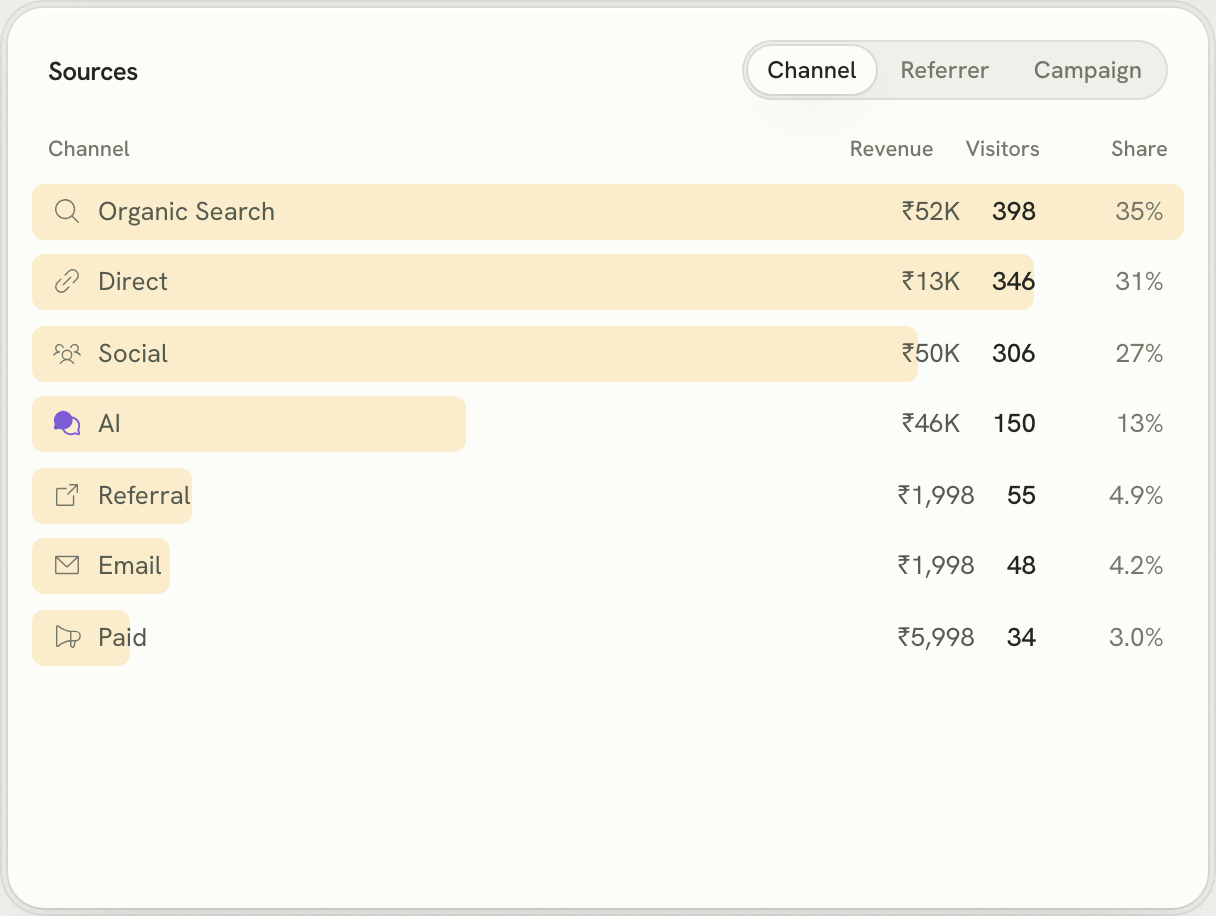
Lantern is web analytics for founders. Its script records where every visitor comes from: Google, Reddit, a campaign, or an AI assistant like ChatGPT. Connect Stripe and each payment is credited to the channel, referrer, campaign, country and landing page that first brought that customer, even when they paid days or weeks later.
How Lantern connects to Stripe
- API key: A restricted key with Read on Checkout Sessions, Invoices, Charges and Refunds, and nothing else. Lantern imports your last 90 days and checks for new payments every 15 minutes.
- Webhook: Optional, for payments the moment they happen: add Lantern's URL under Developers → Webhooks and paste the signing secret (whsec_…).
- History on connect: The last 90 days.
Webhook events to subscribe to: checkout.session.completed, invoice.paid, refund.created, refund.updated. Everything is set up from your site's Settings → Revenue panel, which shows the webhook URL and the exact steps.
Set it up
- Start a free trial and add your website. Paste the setup prompt into your coding agent, or add one script tag.
- Pass the visitor id to Stripe: put
lantern_visitor_idin metadata on the Checkout Session (and subscription_data.metadata for subscriptions). If the customer is signed in, addlantern_user_idwith the id you pass toidentify. - Open Settings → Revenue → Stripe in Lantern and connect it.
const ids = {
  lantern_visitor_id: visitorId, // window.lantern?.visitorId?.(), sent from the browser
  lantern_user_id: user?.id ?? "",
};
const session = await stripe.checkout.sessions.create({
  mode: "subscription",
  line_items: [{ price: "price_123", quantity: 1 }],
  metadata: ids,
  subscription_data: { metadata: ids },
  success_url: "https://example.com/welcome",
});
Renewals and refunds don't need tagging. They share the customer and subscription of the first payment, so Lantern credits them to the same channel.
Good to know
- One-time payments come from Checkout Sessions and subscriptions from paid invoices, so nothing is counted twice.
- Payments made with raw PaymentIntents outside Checkout aren't imported yet.
- A read-only key can't refund, charge or change anything in your account.
Questions
What permissions does the Stripe key need?
A restricted key with Read access to Checkout Sessions, Invoices, Charges and Refunds. Lantern never needs write access.
Does Lantern replace Baremetrics or ChartMogul?
No, it answers a different question. Those track subscription metrics like MRR and churn; Lantern shows which marketing channels and pages brought the customers behind them.
Are renewals credited to the original channel?
Yes. Renewal invoices share the subscription and customer of the first payment, so each channel gets credit for the lifetime of the customers it brought.
Other payment providers
Lantern also connects to Razorpay, Cashfree, Dodo Payments, Paddle, Polar and Lemon Squeezy. Connect more than one to the same site and Lantern adds them up.