Lantern Analytics for Razorpay
Razorpay analytics: see which channel brings your paying customers
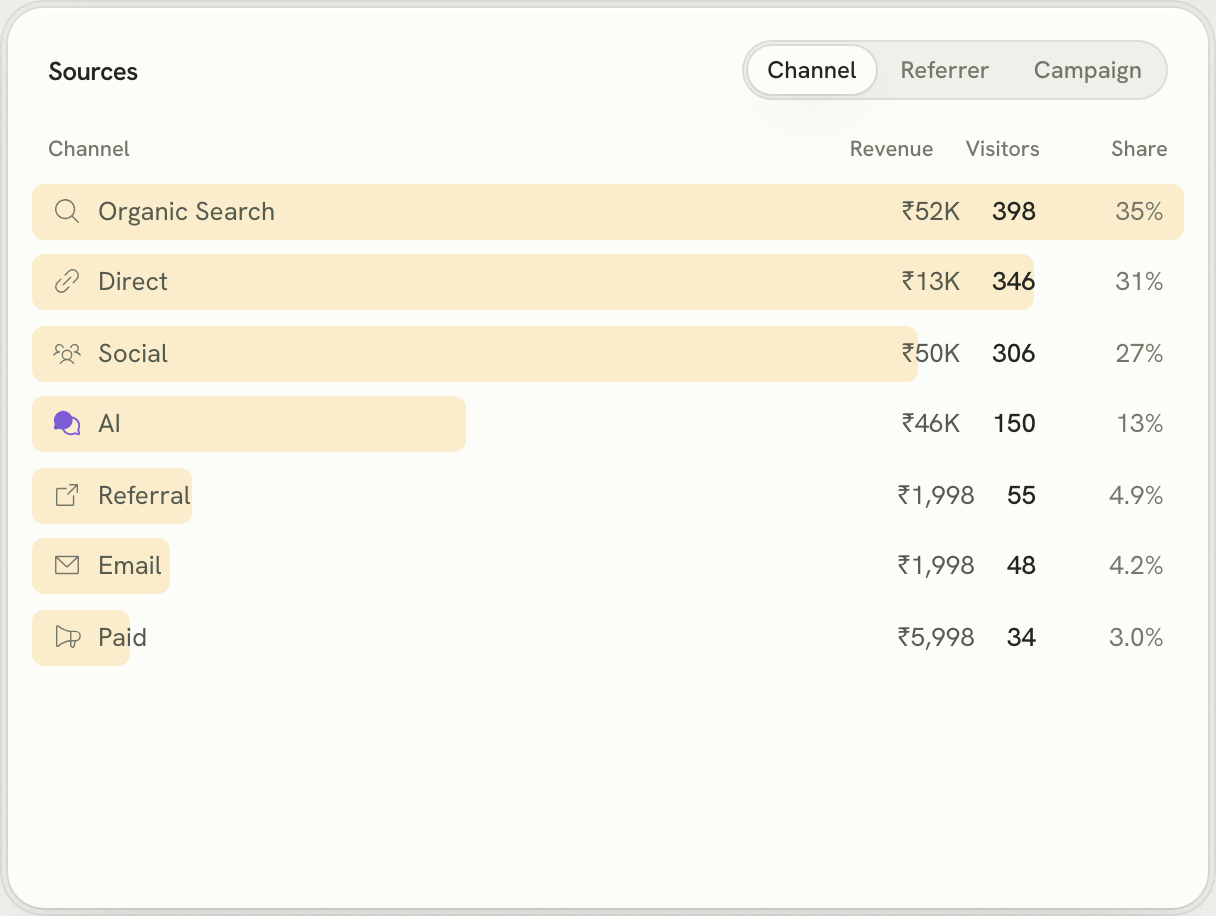
Connect Razorpay to Lantern with one webhook and see revenue in rupees by channel, referrer, campaign, country and landing page, including ChatGPT and other AI assistants.
What Razorpay can't tell you
Razorpay's dashboard shows every payment, by method and status. It can't show which Google search, Reddit thread or ChatGPT answer brought the customer who paid. Lantern can.
Lantern is web analytics for founders. Its script records where every visitor comes from: Google, Reddit, a campaign, or an AI assistant like ChatGPT. Connect Razorpay and each payment is credited to the channel, referrer, campaign, country and landing page that first brought that customer, even when they paid days or weeks later.
How Lantern connects to Razorpay
- API key: Optional. Razorpay keys can't be limited to read-only, so Lantern only ever sends GET requests with it, and only to import your history.
- Webhook: The default. Lantern generates the signing secret; paste it and the URL into Account & Settings → Webhooks.
- History on connect: The last 90 days if you add a key; from the moment you connect otherwise.
Webhook events to subscribe to: payment.captured, order.paid, refund.processed. Everything is set up from your site's Settings → Revenue panel, which shows the webhook URL and the exact steps.
Set it up
- Start a free trial and add your website. Paste the setup prompt into your coding agent, or add one script tag.
- Pass the visitor id to Razorpay: put
lantern_visitor_idin notes on the order (or Checkout's notes option). If the customer is signed in, addlantern_user_idwith the id you pass toidentify. - Open Settings → Revenue → Razorpay in Lantern and connect it.
const order = await razorpay.orders.create({
  amount: 49900, // ₹499 in paise
  currency: "INR",
  notes: {
    lantern_visitor_id: visitorId, // window.lantern?.visitorId?.(), sent from the browser
    lantern_user_id: user?.id ?? "",
  },
});
Renewals and refunds don't need tagging. They share the customer and subscription of the first payment, so Lantern credits them to the same channel.
Good to know
- Every captured payment counts, whatever the method: UPI, UPI Autopay, cards, netbanking and wallets.
- Payment Links and Payment Pages can't carry your visitor id, so they're linked only to customers Lantern already knows through identify().
- Sites paid only in rupees see rupees, exactly as paid.
Questions
Does Lantern work with Razorpay Subscriptions?
Yes. Each subscription charge arrives as a captured payment with the same customer and subscription, so renewals are credited to the channel that brought the first payment.
Do I have to give Lantern my Razorpay API key?
No. The webhook is enough. A key is optional and only used to import past payments, because Razorpay keys can't be made read-only.
Can I see revenue in rupees?
Yes. If your site is paid only in INR, every figure on the dashboard is in rupees, exactly as paid.
Other payment providers
Lantern also connects to Cashfree, Stripe, Dodo Payments, Paddle, Polar and Lemon Squeezy. Connect more than one to the same site and Lantern adds them up.